
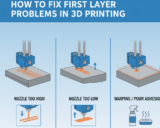
The first layer of a 3D print is arguably the most important. It sets the foundation for the entire print, affecting adhesion, surface finish, and dimensional ...
 pixenib3d
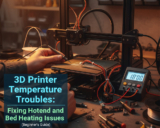
If you’ve ever started a 3D print and noticed your hotend won’t heat up, or your bed temperature stays at zero, you’re not alone. Temperature issues are among ...

Introduction: The Triumvirate of 3D Printing Failures Successful Fused Deposition Modeling (FDM) 3D printing relies on a precise balance of temperature, ...

3D printing is a revolutionary technology, but even experienced users encounter the frustrating phenomenon of warping. This occurs when the corners or edges ...

3D printing has revolutionized prototyping, manufacturing, and creative design, but even experienced users face common extrusion issues that can ruin prints. ...

Stringing and oozing are among the most common issues faced in 3D printing. They manifest as fine hairs or unwanted filament strands between parts of a print, ...

Few issues in 3D printing are as frustrating as layer shifting. You start a print expecting smooth, perfectly aligned layers — but halfway through, the print ...
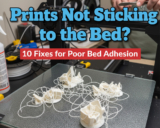
3D printing is a revolutionary technology that allows users to bring digital designs to life. However, one of the most common challenges for 3D printer ...
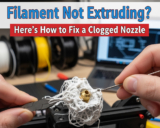
3D printing has revolutionized prototyping, manufacturing, and even hobbyist projects, allowing for rapid creation of complex designs. However, one common ...

There’s nothing quite like the excitement of watching a new 3D print take shape layer by layer—until it goes wrong. From tangled filament and warped edges to ...
- « Previous Page
- 1
- …
- 3
- 4
- 5
- 6
- 7
- Next Page »


Great point, Johnson. While the hardware is excellent, the real standout is the combination of hardware, firmware, and software working seamlessly together. The slicing presets, cloud integration, and automatic calibration significantly reduce trial-and-error, which saves a lot of time in real-world use.
Thanks, Mark. The built-in carbon filter does a good job of reducing odors, especially for ABS. While no consumer printer can eliminate emissions entirely, the P1S is one of the better options for indoor use. Proper room ventilation is still recommended for frequent high-temperature printing.
Hi Emily, the AMS is generally very reliable, especially when using high-quality filament. In my experience, most issues come from brittle or poorly wound spools rather than the system itself. With proper filament storage and occasional cleaning, AMS runs smoothly even during long multi-color prints.
Great question, Jason. In long-term testing, the P1S handles high-speed printing very well thanks to its rigid CoreXY structure and active vibration compensation. As long as regular maintenance is performed—such as cleaning the nozzle and checking belts—there’s no noticeable drop in accuracy or reliability over time.