
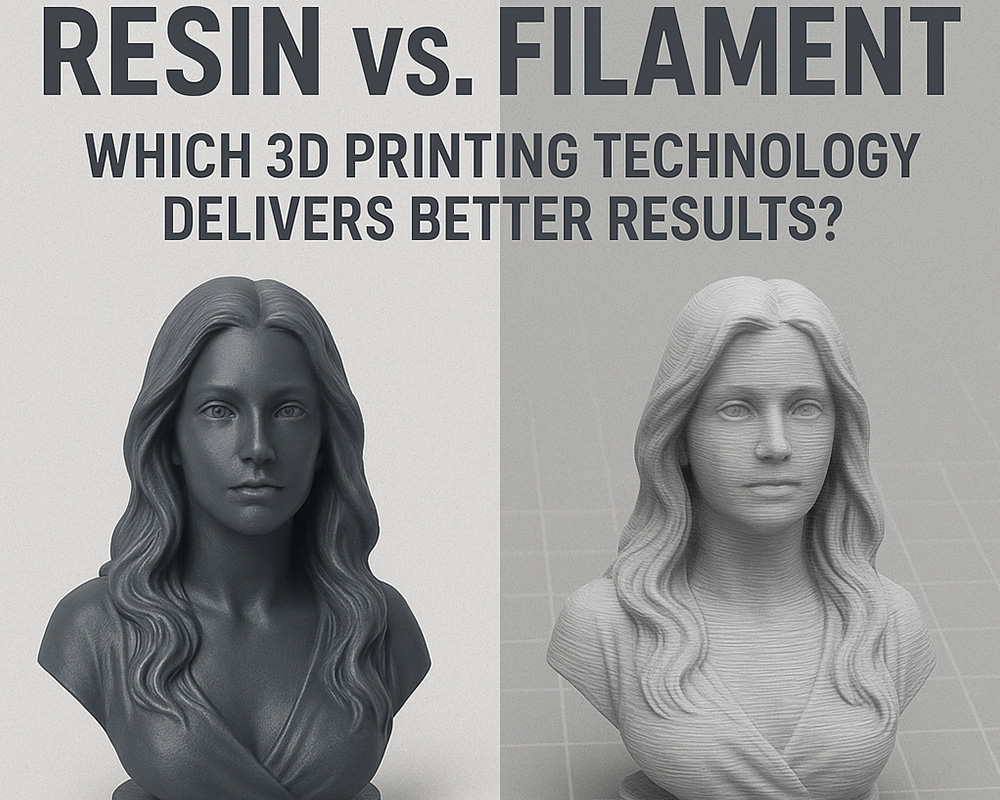
3D printing has evolved from a niche hobby to a mainstream manufacturing method used in engineering, product design, dentistry, jewelry, education, and home prototyping. But with this rapid growth comes an equally important question every creator eventually asks:
Should I use resin or filament?
At the heart of modern consumer and professional 3D printing are two dominant technologies:
- Resin 3D Printing (SLA/MSLA/DLP)
- Filament 3D Printing (FDM/FFF)
Each uses a completely different printing method, produces vastly different results, and serves different types of users. Understanding the differences between these technologies—beyond the surface-level pros and cons—is essential for making an informed decision, whether you are a hobbyist, engineer, artist, or business owner.
This deep-dive guide breaks down everything: precision, speed, durability, cost, maintenance, applications, safety, and more. By the end, you’ll know exactly which technology is best for your goals.
Table of Contents
- Introduction to Resin and Filament Printing
- How Resin 3D Printing Works
- How Filament 3D Printing Works
- Print Quality and Resolution
- Material Strength and Durability
- Surface Finish and Detail
- Print Speed and Efficiency
- Cost Analysis: Upfront, Operational & Long-Term
- Ease of Use and Learning Curve
- Maintenance and Post-Processing
- Safety and Environmental Considerations
- Application-Based Comparison
- Which Technology Is Best for You?
- Conclusion
- FAQs
1. Introduction to Resin and Filament Printing
When people discuss “resin vs. filament,” they are comparing the two most accessible 3D printing technologies available today:
Filament 3D Printing (FDM/FFF)
- Uses heated thermoplastic filament
- Builds objects by depositing melted layers
- The most common consumer 3D printing method
- Known for durability, affordability, and versatility
- Best for functional parts, mechanical items, casings, tools, and prototypes
Resin 3D Printing (SLA/MSLA/DLP)
- Uses liquid photopolymer resin
- Cured layer-by-layer using UV light
- Known for extremely fine detail and smooth finish
- Ideal for miniatures, jewelry casting, dental models, and high-precision applications
Both technologies offer excellent results—but the “better” choice depends entirely on your intended use case. To understand why, you must first understand how each works.
2. How Resin 3D Printing Works (SLA/MSLA/DLP)
Resin printing, also known as SLA (stereolithography) or MSLA (masked stereolithography), uses UV-light-cured photopolymer resin. The printer flashes UV light through an LCD screen or laser pattern, curing one layer at a time.
Key Characteristics
- Extremely fine resolution (as small as 25 microns)
- Exceptionally smooth surface finish
- High accuracy for tiny or intricate designs
- Requires post-processing: washing, curing, and support removal
Basic Workflow
- The build plate dips into the resin tank.
- UV light cures a thin layer of resin.
- The build plate lifts, separating the layer from the film.
- The process repeats until the model is complete.
- The print is washed in IPA and cured under UV light.
Popular Resin Types
- Standard photopolymer resin
- ABS-like resin for greater toughness
- Flexible resin
- Dental resin
- Castable resin for jewelry
- High-temperature engineering resin
Resin printing focuses on precision and detail, making it the technology of choice for artistic and professional applications where accuracy matters.
3. How Filament 3D Printing Works (FDM/FFF)
Filament printing, also known as FDM (fused deposition modeling), works by melting thermoplastic filament and extruding it through a heated nozzle.
Key Characteristics
- Excellent for large prints
- Strong, durable parts
- Vast range of filament materials
- Minimal post-processing required
Basic Workflow
- Filament enters a heated nozzle.
- Plastic melts and is deposited onto the build surface.
- The object is built layer by layer.
- The part cools and solidifies.
Popular Filaments
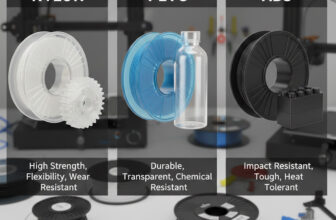
- PLA (easy, affordable, great for beginners)
- PETG (strong, temperature-resistant, food-safe variants)
- ABS (impact-resistant, industrial feel)
- Flexible TPU
- Nylon, PC, carbon-fiber reinforced filaments
Filament printing excels in strength, durability, and cost-efficiency, making it ideal for functional products and prototypes.
4. Print Quality and Resolution
Resolution: Resin Dominates
Resin printers produce significantly finer details than filament printers. With pixel resolutions around 25–50 microns, resin captures tiny features that FDM cannot replicate.
Surface Quality
- Resin: Smooth and nearly flawless straight off the printer.
- FDM: Visible layer lines unless post-processed.
Dimensional Accuracy
- Resin is superior for small parts and fine tolerances.
- FDM performs better with larger objects where resin becomes impractical or too expensive.
Winner: Resin for precision, detail, and surface finish.
5. Material Strength and Durability
Despite common assumptions, resin is not always weaker—strength depends on the specific resin type. However, filament generally outperforms resin in toughness, flexibility, and mechanical durability.
Resin Strength Characteristics
- Standard resin is brittle
- Engineering resin (ABS-like, tough resin, high-temp resin) improves durability
- Still more prone to cracking under stress
Filament Strength Characteristics
- PLA is stiff but can snap under impact
- PETG is tough and impact-resistant
- ABS is heat-resistant and rugged
- Nylon is extremely durable and flexible
- Carbon fiber blends are incredibly strong
Winner: Filament for toughest, most durable mechanical parts.
6. Surface Finish and Detail
Resin Finish
- Smooth by default
- Ideal for display models, small features, organic shapes
- Requires proper curing to achieve final strength and finish
FDM Finish
- Layer lines always visible
- Post-processing can produce smooth results but requires labor
- Great for structural parts but not aesthetic fine-detail work
Winner: Resin for appearance, smoothness, and fine detail.
7. Print Speed and Efficiency
Resin Speed
Resin printers cure an entire layer at once—regardless of how many items are on the build plate.
But:
- Post-processing adds significant time
- Large prints take long due to Z-axis height limits
Filament Speed
- Generally slower per layer
- But no washing or curing
- Great for large objects
Winner: Tie
- Resin is faster for batches of small items
- Filament is faster for large single objects
8. Cost Analysis: Upfront, Operational & Long-Term
Upfront Cost
- FDM printers are typically cheaper.
- Resin printers cost more, especially with larger build volumes.
Materials
- Filament: inexpensive and highly available
- Resin: more expensive per bottle
Consumables
- Resin: gloves, IPA, paper towels, FEP film, filters
- Filament: no major recurring consumables
Post-Processing Equipment
Resin printing requires:
- Wash station
- Curing station
- Safety gear
Winner: Filament—far more economical for beginners and long-term use.
9. Ease of Use and Learning Curve
Filament (FDM)
- Easier and cleaner
- Less safety risk
- No chemicals required
- More forgiving for beginners
Resin (SLA/MSLA)
- Messy
- Requires strict safety handling
- More steps to complete a print
- More consumables and maintenance
Winner: Filament—best for learning, teaching, or casual printing.
10. Maintenance and Post-Processing
Filament Post-Processing
- Remove supports
- Sand if needed
- Spray finish or paint
Minimal time and cost.
Resin Post-Processing
- Remove supports
- Wash in IPA or specialized wash solution
- UV cure for strength
- Dispose of contaminated materials properly
Maintenance is significantly more involved, and the machine itself requires more frequent cleaning.
Winner: Filament for convenience.
11. Safety and Environmental Considerations
Resin Safety
- Uncured resin is toxic
- Fumes can irritate skin and lungs
- Must wear gloves and avoid direct contact
- Requires proper disposal and ventilation
Filament Safety
- Mostly safe (PLA, PETG)
- ABS and other materials release fumes—ventilation recommended
- No toxic liquids or curing required
Winner: Filament for safety and sustainability.
12. Application-Based Comparison
✔ Best for Miniatures, Models, Figurines
Resin for detail and smooth finish
✔ Best for Functional, Durable Parts
Filament for strength, repeatability, and material variety
✔ Best for Prototypes
Depends:
- Visual prototype → resin
- Functional prototype → filament
✔ Best for Dental, Medical, and Jewelry
Resin (specialized high-precision materials)
✔ Best for DIY Projects and Large Parts
Filament
✔ Best for Engineering Test Parts
Filament, especially PETG, ABS, PC, or carbon fiber blends
13. Which Technology Is Best for You?
Choose Resin if You Want:
- High-detail prints
- Smooth surfaces
- Miniatures and display models
- Dental, jewelry, or artistic precision
- Professional-level detail at small scales
Choose Filament if You Want:
- Strong, durable, functional prints
- Affordable long-term operation
- Large prints
- Beginner-friendly workflow
- Mechanical parts or end-use items
Balanced Recommendation
Most professionals eventually own both types of 3D printers because they complement each other beautifully. Resin handles high-detail work; filament excels in strength and utility.
14. Conclusion
So, resin vs. filament—who wins?
There is no single “best” technology. Each serves different needs, and each produces “better results” depending on what those results are meant to achieve.
- Resin offers unmatched precision, flawless surfaces, and incredible fidelity for small and visually demanding prints.
- Filament provides durability, affordability, and speed for functional and large-scale designs.
Instead of thinking of one as superior, it’s more accurate to think of them as two sides of modern additive manufacturing—each powerful in its domain, each capable of helping creators bring their ideas to life.
15. FAQs
1. Is resin or filament stronger?
Filament is generally stronger—especially materials like PETG, ABS, nylon, and carbon-fiber composites. Resin prints can be strong, but standard photopolymer resin is brittle.
2. Which is better for beginners?
Filament (FDM) is better due to its ease of use, safety, cheaper materials, and minimal post-processing.
3. Is resin printing more expensive?
Yes. Resin itself costs more, and the workflow requires consumables like IPA, gloves, and wash/curing equipment.
4. Which is better for miniatures?
Resin is unquestionably superior due to its fine resolution and smooth finish.
5. Can resin prints be used outdoors?
Not recommended unless you use UV-resistant resin, as most resin becomes brittle under sunlight over time.
6. Which prints faster?
Resin prints small items faster. Filament prints large parts faster. Choosing the right technology depends on model size and complexity.
7. Do resin printers smell?
Yes, most resins emit strong fumes. Ventilation is required. Some “low-odor” resins are available but still require caution.
8. Do filament printers require ventilation?
PLA and PETG are safe for typical indoor use. ABS and certain high-temperature filaments should be printed in ventilated or enclosed environments.